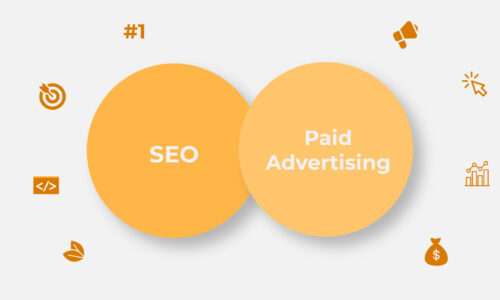

Pay-per-click (PPC) marketing can be a game-changer for your business when executed effectively. In this comprehensive guide, we will walk you through each step of crafting a winning PPC marketing strategy that not only drives traffic but also delivers a substantial return on investment (ROI). So, let’s dive right in!
PPC marketing, also known as paid search advertising, is a digital advertising model where advertisers pay a fee each time their ad is clicked. It’s like an online auction for ad placements. The key players here are search engines like Google, social media marketing platforms such as Facebook, and websites with ad space. When someone searches for a keyword related to your business, your ad appears, and if they click on it, you pay for that click.
PPC (Pay-Per-Click) is paid advertising where you bid for ad placement and pay per click. SEO (Search Engine Optimization) is the practice of earning organic rankings without paying for clicks. SEM (Search Engine Marketing) is the umbrella term covering both — any strategy to gain search engine visibility, paid or organic. Most high-performing brands run PPC and SEO together rather than choosing one.
Body copy:
These three terms get used interchangeably, but they’re not the same thing — and mixing them up is one of the most common reasons businesses misallocate budget.
SEM is the umbrella. It refers to any effort to increase your visibility on search engines — which includes both PPC and SEO as its two main levers. If someone says “we’re doing SEM,” they mean they’re running some combination of paid and organic search strategy.
PPC and SEO solve different problems:
| PPC | SEO | |
| Speed | Traffic starts the moment a campaign goes live | Typically takes 3–6+ months to see meaningful rankings |
| Cost structure | You pay per click, ongoing | Upfront investment (content, technical work), no per-click cost |
| Control | Full control over messaging, targeting, timing | Limited control — rankings depend on algorithm signals |
| Longevity | Traffic stops the moment you stop paying | Rankings can compound and persist for years |
| Best for | Time-sensitive offers, testing messaging, competitive keywords you can’t rank for organically | Long-term brand visibility, informational queries, sustainable traffic |
Why the smartest strategy usually uses both, not one:
Running PPC and SEO side by side gives you two distinct advantages that neither delivers alone:
The benefits of PPC marketing are numerous. Consider this: for every $1 spent on Google Ads, businesses earn an average of $2 in revenue. Here’s why PPC is worth your investment:
Immediate Visibility: Unlike organic SEO ranking, which can take months to show results, PPC ads get you to the top of search results instantly.
Budget Control: You decide how much you want to spend daily or monthly, ensuring you stay within your budget.
Precise Targeting: With PPC, you can target specific demographics, locations, and even the time of day your ads appear.
To kickstart your PPC journey, you need clear objectives. For instance, if you’re an e-commerce store, your goal might be to increase sales by 20% in the next quarter. If you’re a local service provider, your aim could be to generate 50 new leads per month. Having specific, measurable goals helps you tailor your strategy accordingly.
Setting a budget can be tricky, but it’s crucial. Let’s say you have a monthly budget of $1,000. You might allocate $500 to Google Ads and $500 to Facebook Ads. This balance can vary depending on your audience and which platform performs better for your business.
Before doing keyword research, figure out two things: what the searcher wants, and who they are. Skip this and you’ll pay for clicks that never convert.
Search intent has four types:
Quick check: sort your keyword list by these four types. If a big chunk is informational, that’s easy budget to reallocate toward commercial and transactional terms.
Then add audience targeting:
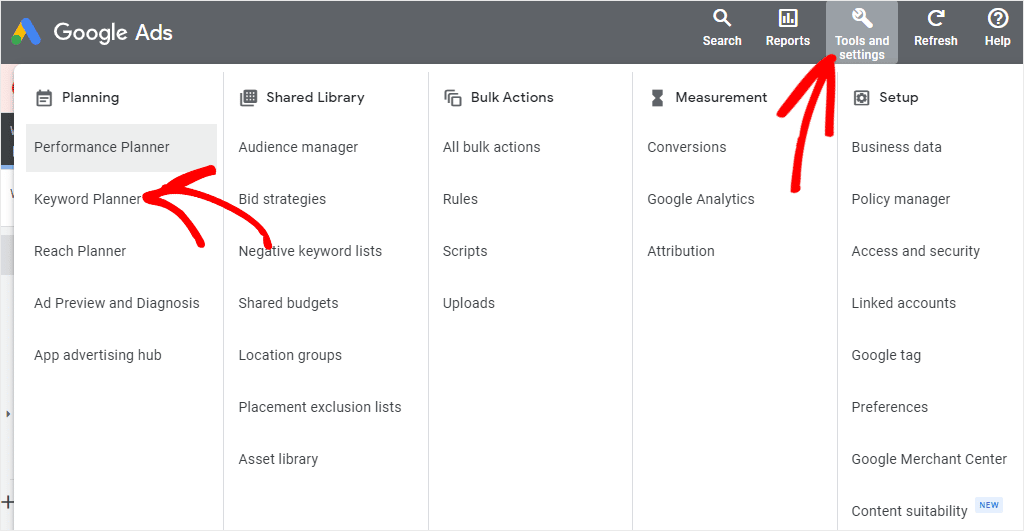
Keyword research is the heartbeat of your PPC campaign. Tools like Google Keyword Planner can help you find keywords relevant to your business. For instance, if you sell organic skincare products, you’ll want to target keywords like “organic skincare,” “natural skincare,” and “best organic moisturizer.”
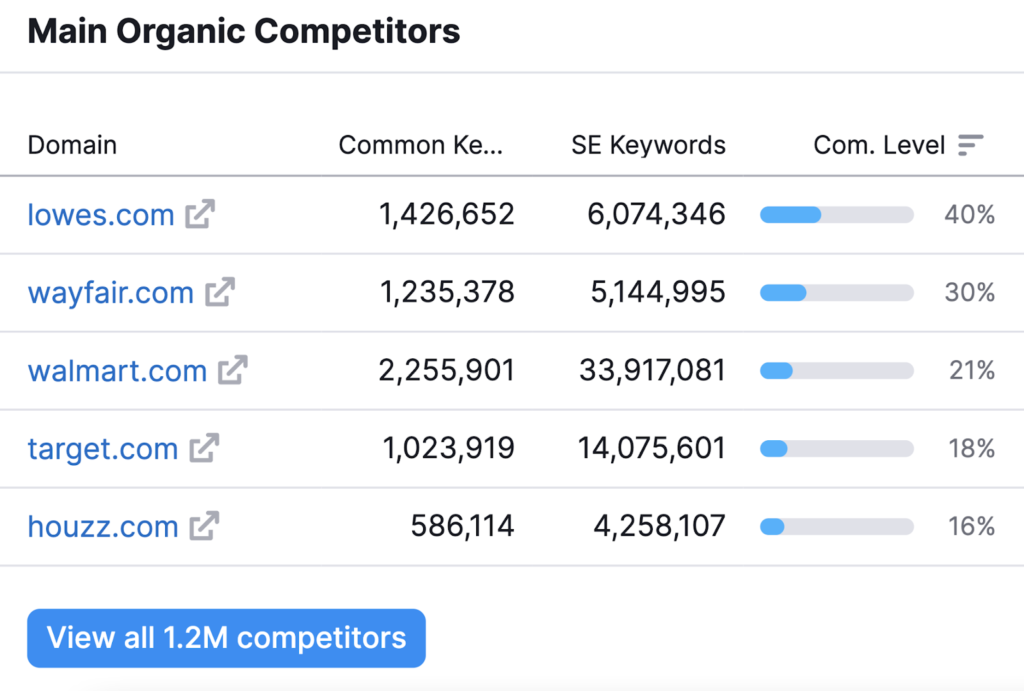
Spying on your competitors can provide a goldmine of information. Tools like SEMrush allow you to see which keywords your competitors are targeting and what ads they’re running. It’s a treasure trove of insights to improve your strategy.
Crafting Compelling Ad Copy
Your ad’s headline is your first impression. For example, if you’re a fitness trainer, a compelling headline might be “Get Fit Fast: Personal Training Experts.”
The ad description is your chance to tell users why they should choose your product or service. Use persuasive language and highlight benefits. “Achieve Your Dream Smile – Book Your Free Consultation Today!”
Imagine clicking on an ad for the latest smartphones, and the landing page is cluttered and confusing. That’s a recipe for high bounce rates. Ensure your landing page is clean, easy to navigate, and provides a seamless user experience.
Mobile users make up a significant portion of internet traffic. Your landing page must be mobile-responsive. Google also rewards mobile-friendly pages with better ad placements.
Organize your PPC campaign into logical groups. If you’re an electronics retailer, you might have campaigned for “Smartphones,” “Laptops,” and “Accessories.” Within each campaign, create ad groups for specific product categories.
Ad extensions enhance your ad’s visibility. They include additional information like phone numbers, links to specific pages, or even product images. Use them to make your ads more compelling.
| Step | Action | What to Do |
| 1 | Define your conversion | Decide what actually counts — purchase, form fill, phone call, or sign-up. Pick what matters to the business, not just traffic |
| 2 | Create the conversion action in Google Ads | Go to Goals → Conversions → Summary → New conversion action. Choose the source: website, app, phone call, or import |
| 3 | Install the tracking tag | Add the Google tag (or use Google Tag Manager) to your site. GTM avoids editing site code every time something changes |
| 4 | Link GA4 to Google Ads | Connects the two accounts so you can import GA4 conversion events directly into Ads |
| 5 | Set up GA4 events | Define events for form fills, purchases, or sign-ups in GA4, then mark the relevant ones as conversions |
| 6 | Test the setup | Use Google Tag Assistant or Ads’ “Tag diagnostics.” Submit a test form or purchase to confirm it fires and shows up |
| 7 | Set your attribution model | Choose how credit is distributed across the customer journey — data-driven is Google’s default and usually the best starting point |
| 8 | Check for double-counting | Make sure the same conversion isn’t tracked in both Google Ads and GA4, which skews CPA and ROAS numbers |
Tracking metrics is only useful if you know what to do when they move in the wrong direction. Here’s a quick troubleshooting reference for the five metrics that matter most:
| Metric | What It Tells You | If It Slips, It Usually Means | What to Do |
| CTR (Click-Through Rate) | How compelling your ad is to people who see it | Weak ad copy, poor keyword-to-ad relevance, or ad fatigue | Refresh ad copy, test new headlines, check keyword-ad match |
| CPC (Cost Per Click) | How much competition is driving up your cost per click | Rising competition, low Quality Score, or broad targeting | Improve Quality Score (relevance, landing page experience), tighten targeting |
| Conversion Rate | How well your landing page turns clicks into action | Landing page mismatch, slow load time, weak offer, or wrong traffic intent | Audit landing page relevance, check page speed, revisit search intent match |
| CPA (Cost Per Acquisition) | How much you’re paying per conversion | Rising CPC without conversion rate improving, or bidding too aggressively | Review bidding strategy, pause underperforming keywords, tighten audience targeting |
| ROAS (Return on Ad Spend) | Whether your spend is actually profitable | Low-value conversions, poor targeting, or margin issues unrelated to the campaign | Check average order value, review Target ROAS settings, reassess which products/services you’re promoting |
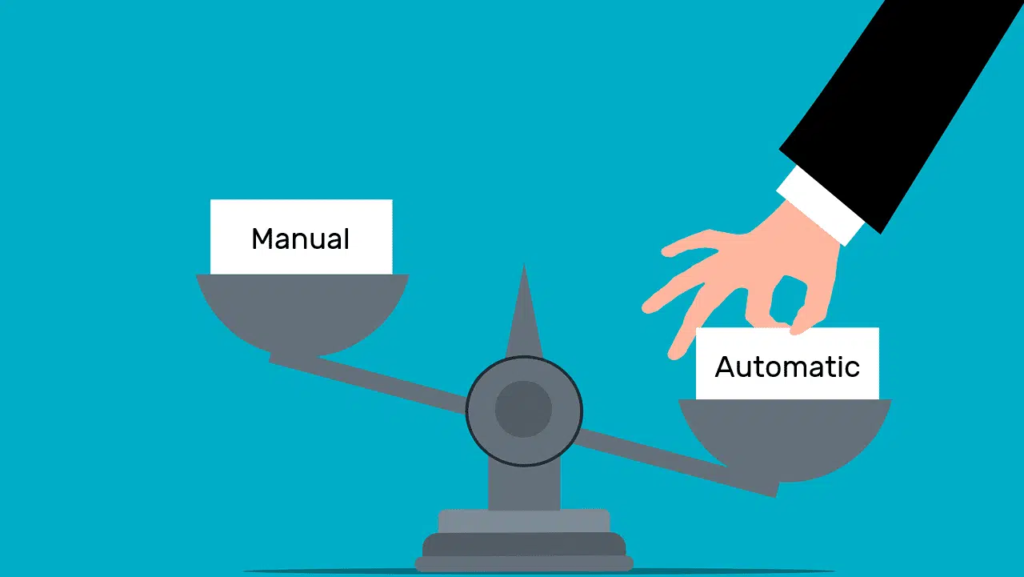
Bidding strategies can make or break your campaign. If you want more control, opt for manual bidding. If you prefer a hands-off approach, automated bidding can save time and optimize for specific goals, like maximizing clicks or conversions.
Timing is crucial. If you run a restaurant, you’d want your ads to appear during lunch and dinner hours. Use ad scheduling to reach your audience when they’re most likely to convert.
Tracking conversions is vital to measure the success of your PPC marketing strategy efforts. Know which keywords and ads are driving sales or leads. Tools like Google Analytics and Google Ads conversion tracking can provide valuable insights.
A/B testing involves creating two versions of your ad or landing page to see which performs better. For instance, you might test two headlines to see which one gets more clicks. It’s a data-driven way to refine your campaigns.
A high-quality Score can lower your ad costs and improve ad positions. Google assigns a score based on ad relevance, landing page quality, and click-through rate. Regularly optimize your campaigns to boost this score.
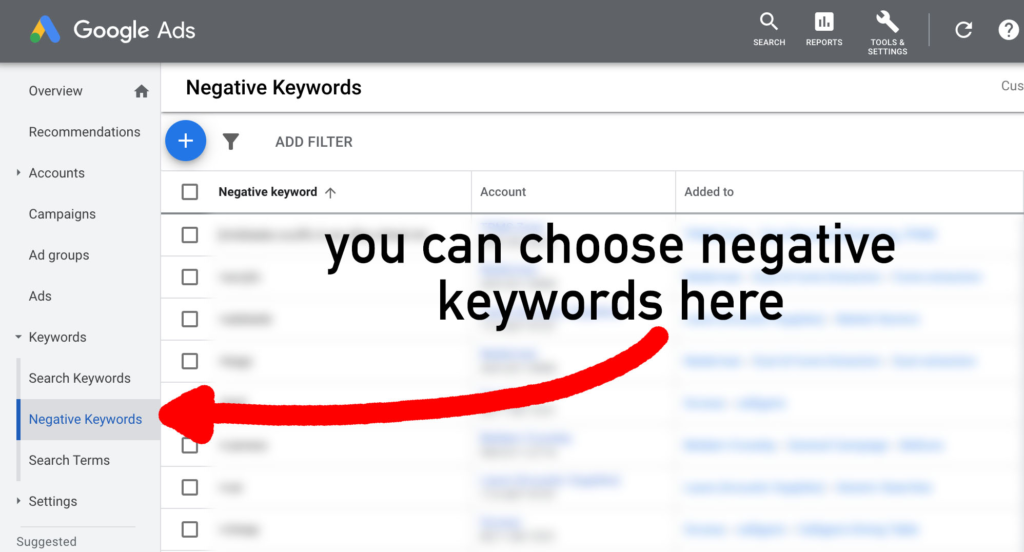
Negative keywords prevent your ads from showing for irrelevant searches. If you’re selling high-end watches, you might add “cheap” as a negative keyword to filter out users looking for inexpensive options.
Market trends evolve with the seasons. For instance, if you sell winter clothing, your PPC marketing strategy will differ in summer. Be prepared to adjust your ad copy and targeting accordingly.
Keep a close eye on your competitors. If a competitor launches a new product or runs a special offer, you might need to adjust your strategy to stay competitive.
As your business grows, so should your PPC strategy. Consider expanding to new markets, targeting more keywords, or exploring new ad formats.
PPC can complement other marketing channels like SEO and social media. For instance, use PPC marketing strategy to boost a product launch, then leverage SEO for long-term organic traffic.
Ultimately, your PPC campaigns should be profitable. To calculate ROI, subtract your PPC costs from your revenue generated by PPC. A positive ROI means your campaigns are effective.
If your ROI isn’t meeting your expectations, don’t be afraid to adjust your strategy. Experiment with new keywords, ad copy, or landing page designs until you see improved results.
Overspending is a common pitfall in PPC. Regularly review your budget and make adjustments to avoid overspending while maintaining your desired results.
Feedback, even when negative, is valuable. Listen to your audience, address concerns, and use feedback to refine your PPC campaigns for better performance.
Creating an effective PPC marketing strategy is an ongoing journey that requires continuous learning and adaptation. By following this step-by-step guide, you’ll be well-equipped to build and refine your PPC campaigns for maximum impact.
For expert guidance, consider partnering with Clickseek, your trusted digital marketing agency. We specialize in PPC services or PPC marketing strategy designed to drive growth for your business. With Clickseek, you’re on the path to PPC success.
1. What is the difference between PPC and SEM?
SEM (Search Engine Marketing) is the umbrella term covering both paid and organic search efforts. PPC is one part of SEM — specifically the paid advertising component.
2. What is a good CTR for a PPC campaign?
A good CTR varies by industry, but 2–5% is generally considered healthy for search ads. Anything below 1% usually signals weak ad relevance or targeting.
3. How does remarketing work in PPC?
Remarketing shows ads to people who’ve already visited your site but didn’t convert. It typically costs less and converts better since these users already know your brand.
4. Should I use manual or automated bidding?
New accounts with limited conversion data usually do better starting with manual or Maximize Clicks bidding. Once you have 30+ conversions a month, automated strategies like Target CPA often outperform manual bidding.
5. What is Performance Max, and should I use it?
Performance Max is a Google Ads campaign type that runs across Search, Display, YouTube, Gmail, and Maps using AI. It works well for scaling reach, but offers less granular control, so it’s best tested with a portion of budget first.
6. How long does it take to see results from PPC?
Unlike SEO, PPC can start driving traffic within hours of launch. Meaningful, optimized results usually take 2–4 weeks as the campaign gathers enough data to improve.
7. What are negative keywords, and why are they important?
Negative keywords prevent your ads from showing for irrelevant searches. They help reduce wasted spend and improve overall campaign relevance and Quality Score.
8. How is third-party cookie deprecation affecting PPC?
As Chrome phases out third-party cookies, remarketing and audience targeting that relied on them become less reliable. Advertisers need to shift toward first-party data like email lists and Customer Match.
9. What’s the difference between CPA and ROAS?
CPA (Cost Per Acquisition) measures how much you pay per conversion, while ROAS (Return on Ad Spend) measures revenue generated per rupee spent. CPA suits lead gen goals; ROAS suits revenue-focused, e-commerce goals.
10. Do I need a landing page for PPC, or can I use my homepage?
A dedicated landing page almost always outperforms a homepage because it matches the ad’s exact offer and intent. Homepages are usually too broad and reduce conversion rates.

Bangalore, India